

Best Navigation Apps to Use While Pulling a Trailer
 Neighbors Trailer
Sep 10, 2023 1835 10 min read navigation app
Towing a car trailer rental is a different kind of drive. You take turns wider, you brake earlier, your acceleration is slower, and a wrong turn that a small car handles easily can trap you in a parking lot or under a low bridge. The right navigation app makes all of that easier by planning a route that respects the length, height, and weight of your rig.
This guide walks through the navigation apps that work best for car trailer rentals, what features actually matter for towing, and how to set them up before you pull out of the pickup location. It also covers backup tactics for dead zones and the habits that keep you from trusting the app blindly.
What to Look For in a Towing Navigation App
Before downloading anything, know what separates a towing app from a regular driving app. A few features matter a lot more than the polish of the interface.
- Vehicle profile entry: The app should let you enter height, weight, length, and hazardous-cargo status. Without this, the route it chooses is for a car, not a truck-and-trailer combination.
- Truck-friendly routing: Look for avoidance of low bridges, weight-restricted roads, sharp switchbacks, and tight downtown streets. Commercial-grade apps flag these automatically.
- Reliable offline maps: Rural highways and mountain passes routinely lose signal. An app that pre-downloads your entire route works when the cellular network does not.
- Real-time traffic and incident reports: A blocked lane is inconvenient in a car and expensive when you are towing 7,000 lbs of vehicle behind you.
- Fuel and rest-stop planning: Longer trips with a heavy trailer need staged fuel stops. The app should route you to truck-friendly stations with room to pull through, not tight corner gas pumps.
The Best Navigation Apps for Car Trailer Rentals in 2026
1. Trucker Path
Trucker Path is built for commercial drivers, but it is the single most useful app for a casual renter towing a car trailer on a long run. It filters for truck stops with space to maneuver, flags weigh stations (so you know which to skip when running under DOT weight), and shows real-time parking availability. The routing respects your height and length inputs, which means no surprises at a 12-foot railroad underpass.
2. Google Maps
Google Maps remains the default for most renters because the map data is the most current and lane guidance is the most refined. For short, in-town moves, it is hard to beat. Its limitation for towing is that it does not accept trailer dimensions, so you still need to check the planned route for any obvious low-clearance or weight-restricted segments before you commit.
3. Waze
Waze is a community-powered traffic app that shines when you are near other drivers who are also using it, which usually means urban and suburban highways. Real-time hazard reports (stalled vehicles, police, accidents) come from nearby users. It is not trailer-aware, but it pairs well with Trucker Path: plan the truck-safe route in Trucker Path, monitor live traffic in Waze.
4. CoPilot GPS (Truck Version)
CoPilot Truck is a paid app, but the subscription is modest, and it is fully trailer-aware. It works offline after the first download, it lets you save custom vehicle profiles, and its routing engine avoids the kinds of roads that routinely trap rental haulers.
5. Sygic Truck Navigation
Sygic Truck is the strongest purely offline option. Load the maps for your route, and it will guide you through cellular dead zones without glitching. It accepts dimensions and weight, avoids restricted roads, and even shows a speed-limit display that adjusts based on the trailer's classification.
6. HERE WeGo
HERE WeGo is a free, offline-first app with clean turn-by-turn directions. It does not have trailer-specific routing, but the offline capability makes it a strong fallback when Google or Waze lose signal. Download the state or region you are driving through the night before you leave.
7. Apple Maps
Apple Maps has improved dramatically and now offers EV and RV modes on iOS that respect some vehicle dimensions. For iPhone users renting a car trailer, it is worth testing on a short trip before relying on it for a long haul. The lane guidance is clean and the CarPlay integration is the best in class.
8. MapQuest
MapQuest is a distant option, but it is still useful as a web-based route planner on a laptop before you leave. Its route-customization tools let you drag legs onto specific roads, which is handy for previewing a route end-to-end on a bigger screen than your phone.
Comparing the Top Apps at a Glance
The table below summarizes how each app handles the features that matter most when towing a car trailer rental. Use it to pick one primary and one backup app for your trip.
| App | Trailer-Aware Routing | Offline Maps | Cost | Best For |
| Trucker Path | Yes | Limited | Free / Pro $5 mo | Long-haul truck-safe routing |
| Google Maps | No | Yes | Free | In-town and suburban moves |
| Waze | No | No | Free | Live traffic and hazard alerts |
| CoPilot GPS Truck | Yes | Yes | $75 year | Regular towing, offline |
| Sygic Truck | Yes | Yes | One-time purchase | Rural and remote routes |
| HERE WeGo | No | Yes | Free | Backup when no signal |
| Apple Maps | Partial (iOS) | No | Free | iPhone and CarPlay users |
| MapQuest | No | No | Free | Pre-trip route preview on desktop |
How Renters Rate App Suitability for Towing
Based on feedback from Neighbors Trailer renters who towed a car trailer in the last 12 months, these are the relative suitability ratings of the most-used apps. Trucker Path and Sygic lead because they respect trailer dimensions; Google Maps rates high because of its map accuracy, even without trailer-specific routing.
NeighborsTrailer.com
How to Set Up Any App for a Towing Trip
Regardless of the app you choose, these five steps take about ten minutes and will save you hours of detours, wrong turns, or worse.
- Enter your combined dimensions: Add the tow vehicle height, length (including trailer), width, and estimated loaded weight. Most car trailer rentals plus a mid-size SUV run between 40 and 50 feet total and 12 to 13 feet high.
- Download the offline map for your route: Even apps with good online coverage can stumble in remote areas. Download the day before so the data is on your phone when you need it.
- Plan fuel stops in advance: A loaded car trailer can cut your tow vehicle's fuel range by 25 to 40 percent. Add fuel stops every 150 miles rather than every 250.
- Preview the route for red flags: Before leaving, swipe the map along your planned route and look for construction zones, mountain passes, or sharp urban turns.
- Share the route with someone: Send the expected arrival time and route to a friend or family member. If you lose signal for longer than expected, they know where to look.
Combining Apps for Best Results
No single app is perfect. The pros use two in tandem: one for trailer-aware routing and one for live traffic and hazard alerts. A common and effective pairing is Trucker Path for the route plus Waze for live traffic overlay. Another is Google Maps for navigation plus Sygic Truck as a silent background check that screams if the route dips into a restricted road.
If you are new to towing, practice with the apps on a short unloaded test drive. Pull the trailer out to a familiar area, route to a destination an hour away, and pay attention to how the app handles lane changes, tight turns, and freeway merges. That practice run is where you learn to trust (and distrust) the app.
Common Mistakes Towing Drivers Make With Apps
- Trusting the first route blindly: A faster route is not always a better route with a trailer. If the app drops you onto a two-lane mountain road to shave five minutes, take the highway instead.
- Ignoring cellular coverage gaps: Plan for no signal. If you only rely on the app staying live, a dead zone will strand you.
- Using only phone audio: A quiet turn alert gets lost in engine and tire noise with a trailer. Connect to the vehicle's Bluetooth or use CarPlay / Android Auto so the app voice plays through the speakers.
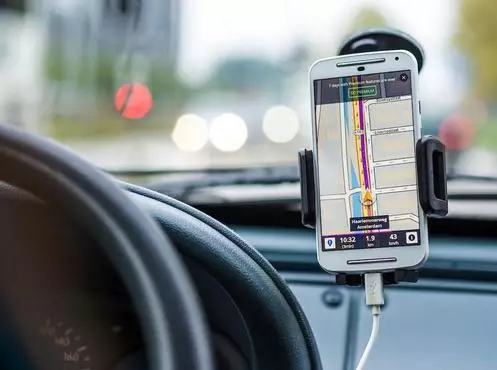
- Mounting the phone in a blind spot: Put the phone in a clear line of sight without blocking mirrors or windshield, ideally on a dash mount near the A-pillar.
How Neighbors Trailer Fits In
Neighbors Trailer is a peer-to-peer marketplace for car, cargo, utility, and enclosed trailer rentals. Renters must be at least 21 and verified. Owner payouts are handled through Stripe and typically arrive in 2 to 3 business days. Because owners list locally, you can pick a trailer near your pickup origin and reduce your total driving distance, which cuts fuel costs and keeps navigation simpler for new towers.
Frequently Asked Questions
Does Google Maps have a towing mode?
Not officially. Google Maps will route you based on the vehicle you select for directions, but it does not account for trailer height, length, or weight. Always cross-check the route before leaving, or use a truck-specific app in parallel.
Are paid apps worth it for a one-time rental?
For a single short haul, a free app plus a manual route check is usually fine. For a multi-day, cross-state rental, paying 5 to 10 dollars for a month of a trailer-aware app like CoPilot Truck or Trucker Path Pro is a low-cost insurance policy.
What should I do if my app tries to route me under a low bridge?
Stop, do not attempt the clearance. Manually reroute in the app by tapping the next waypoint on a different road, or exit and use a highway until you can rejoin the planned route safely. Never guess on clearance.
Can I use my phone as the only GPS while towing?
Yes, but mount it securely, pre-download the offline map, keep it charging, and connect audio to the vehicle. Never hold the phone while driving with a trailer.
What is a safe average speed when towing a car trailer?
Most states set a trailer towing limit of 55 to 65 mph. Even where higher is legal, most experienced haulers stay near 60 to 62 mph because tire heat and fuel economy both degrade above that.
Final Thoughts
A navigation app is not just a convenience when you are towing a car trailer - it is part of the safety system. The right one keeps you on roads that can handle your combined length and weight, alerts you to traffic that matters at slower speeds, and guides you to fuel stops with room to pull through. Before your next rental, pick a primary and a backup, set up your vehicle profile, and download the offline map. Ten minutes of prep on your phone can save hours on the road.
Ready to rent? Browse car trailer listings on Neighbors Trailer and filter by pickup location so your route starts close to home.
Related Articles
- Car Trailer Rental Gas Apps
- Car Trailer Rental Towing Mistakes to Avoid
- How to Prepare Your Truck to Tow a Car Trailer Rental Safely
- Beginners Guide to Choosing the Right Car Trailer Rental
Content updated April 2026