Help Center Details
How do I block someone?
If you don't want to hear from someone, you can block them from any conversation.
From the Website
- Select Messages from the main menu.
- Open the conversation with the person you want to block.
- Select the three-dot (...) menu in the top-right corner of the conversation.
- Select Block [name].
Once blocked, they won't be able to message you.
Unblocking someone
Open the account menu (your name in the top-right corner) and select Blocked users. You can unblock anyone from that list at any time.
Reporting a conversation
If someone is being abusive or asking you to pay or meet outside Neighbors Trailer, select Report conversation from the same three-dot (...) menu so our team can review it.
Why was my message removed?
If you don't want to hear from someone, you can block them from any conversation.
From the Website
- Select Messages from the main menu.
- Open the conversation with the person you want to block.
- Select the three-dot (...) menu in the top-right corner of the conversation.
- Select Block [name].
Once blocked, they won't be able to message you.
Unblocking someone
Open the account menu (your name in the top-right corner) and select Blocked users. You can unblock anyone from that list at any time.
Reporting a conversation
If someone is being abusive or asking you to pay or meet outside Neighbors Trailer, select Report conversation from the same three-dot (...) menu so our team can review it.
How do I block someone?
If you don't want to hear from someone, you can block them from any conversation.
From the Website
- Select Messages from the main menu.
- Open the conversation with the person you want to block.
- Select the three-dot (...) menu in the top-right corner of the conversation.
- Select Block [name].
Once blocked, they won't be able to message you.
Unblocking someone
Open the account menu (your name in the top-right corner) and select Blocked users. You can unblock anyone from that list at any time.
Reporting a conversation
If someone is being abusive or asking you to pay or meet outside Neighbors Trailer, select Report conversation from the same three-dot (...) menu so our team can review it.
How the Neighbors Trailer Referral Program Works
If you don't want to hear from someone, you can block them from any conversation.
From the Website
- Select Messages from the main menu.
- Open the conversation with the person you want to block.
- Select the three-dot (...) menu in the top-right corner of the conversation.
- Select Block [name].
Once blocked, they won't be able to message you.
Unblocking someone
Open the account menu (your name in the top-right corner) and select Blocked users. You can unblock anyone from that list at any time.
Reporting a conversation
If someone is being abusive or asking you to pay or meet outside Neighbors Trailer, select Report conversation from the same three-dot (...) menu so our team can review it.
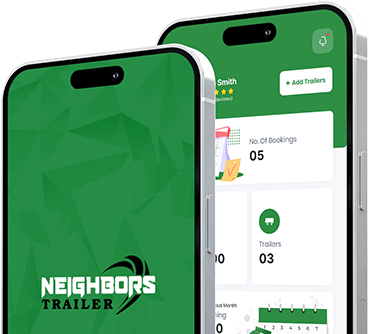
Does Neighbors Trailer have a mobile app?
If you don't want to hear from someone, you can block them from any conversation.
From the Website
- Select Messages from the main menu.
- Open the conversation with the person you want to block.
- Select the three-dot (...) menu in the top-right corner of the conversation.
- Select Block [name].
Once blocked, they won't be able to message you.
Unblocking someone
Open the account menu (your name in the top-right corner) and select Blocked users. You can unblock anyone from that list at any time.
Reporting a conversation
If someone is being abusive or asking you to pay or meet outside Neighbors Trailer, select Report conversation from the same three-dot (...) menu so our team can review it.
How do I change my email address for my account?
If you don't want to hear from someone, you can block them from any conversation.
From the Website
- Select Messages from the main menu.
- Open the conversation with the person you want to block.
- Select the three-dot (...) menu in the top-right corner of the conversation.
- Select Block [name].
Once blocked, they won't be able to message you.
Unblocking someone
Open the account menu (your name in the top-right corner) and select Blocked users. You can unblock anyone from that list at any time.
Reporting a conversation
If someone is being abusive or asking you to pay or meet outside Neighbors Trailer, select Report conversation from the same three-dot (...) menu so our team can review it.
Why is my account inactive?
If you don't want to hear from someone, you can block them from any conversation.
From the Website
- Select Messages from the main menu.
- Open the conversation with the person you want to block.
- Select the three-dot (...) menu in the top-right corner of the conversation.
- Select Block [name].
Once blocked, they won't be able to message you.
Unblocking someone
Open the account menu (your name in the top-right corner) and select Blocked users. You can unblock anyone from that list at any time.
Reporting a conversation
If someone is being abusive or asking you to pay or meet outside Neighbors Trailer, select Report conversation from the same three-dot (...) menu so our team can review it.